
Correct the description without losing the original inventory.
The inventory arrives as a PDF. Your bedroom curtain is described as unmarked, but you noticed a tear when you unpacked. The useful next step is a specific correction request, rather than a completely rewritten document that hides what changed. This guide explains a practical way to organise that request for a rented home in England. The numbering and version method below are editorial suggestions, not a prescribed legal form.
How can you do this in DepKeeper? See the app example ↓
Start with the version you were actually given
Save the original inventory in a folder you can find again. Note its date, the property reference and how it reached you. If the agent sends a replacement later, retain both versions and identify which one you are discussing. An email attachment and a portal download may not be identical, so check before writing your response.
Read any instructions supplied with the inventory, including how and when comments should be submitted. Do not assume there is one universal correction deadline for every tenancy or platform. Send relevant observations promptly and ask for clarification if a portal has closed. This article does not determine what a particular contract permits.
Describe the difference, not just your disagreement
Shelter England advises checking an inventory for accuracy and correcting missing or wrong details. Its guidance also recommends photos of visible marks, signing only when satisfied with accuracy, and keeping a copy. That advice provides the starting point; the item-by-item method here is our suggested way of making the correction easy to follow.
Use the same room and item names as the original document. If an item number exists, include it. A clear entry has the original description, the change you are requesting, the location of the observation and a photo reference. Separate a factual error, such as a wrong meter number, from an item you have not yet been able to test.
Sources: Shelter England — how to check and agree an inventory
Make each photograph answer a question
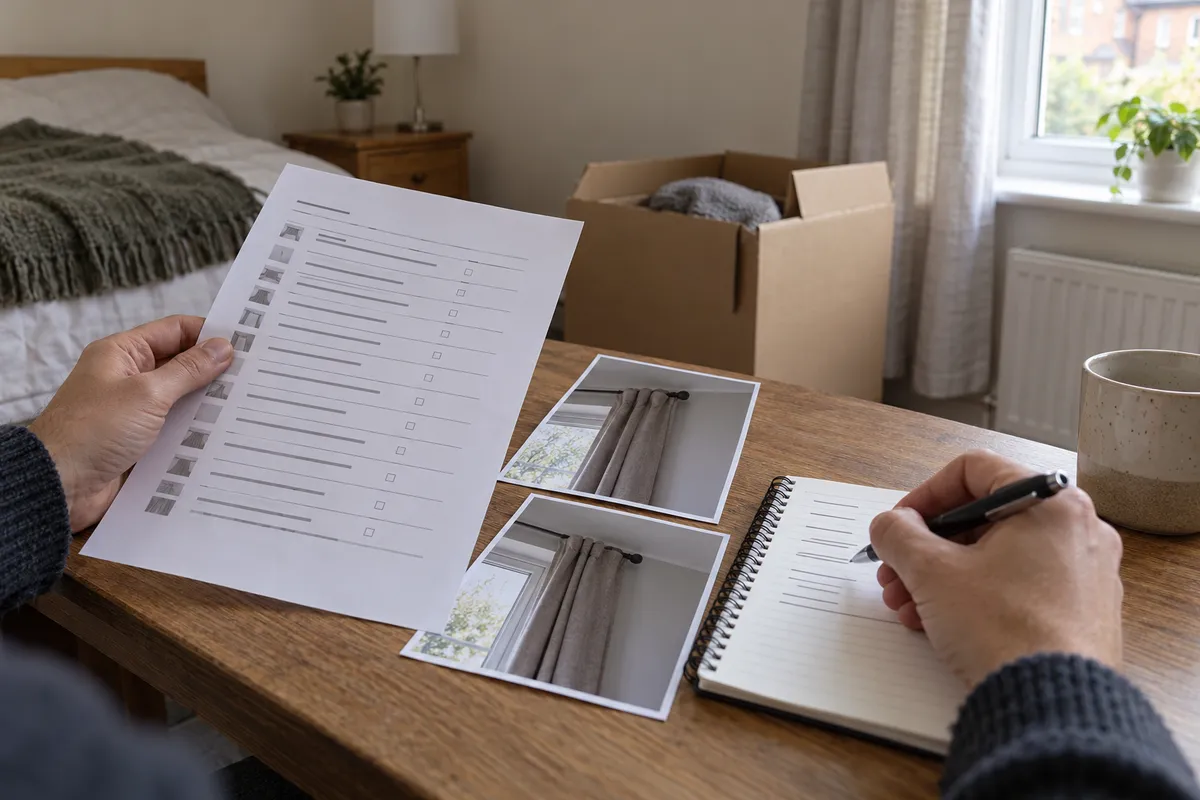
For a curtain tear, take a wider image showing which window and curtain you mean, then a closer image of the tear. Check that the detail can be located in the wider view. A sequence of twenty unexplained close-ups may be harder to review than two images with useful captions.
Keep the original image files. If you add an arrow or circle to a copy, make clear that it is your annotation. A photograph taken after move-in should retain its actual date; do not describe it as a handover-day photo if it was taken later. State when you first noticed the issue separately from when you photographed it.
Use a short correction list
Group several issues by room, rather than sending a new message for every picture. Give each correction a stable label such as C01, C02 and C03. These are your own reference labels, not official claim numbers. An item that was missed entirely can be listed as a proposed addition.
The example below is fictional. Replace the description, dates and references with what you actually observed. Avoid asking the recipient to accept a cause or repair cost that your pictures cannot establish.
Ask for the result of the review
Send the list through the agreed channel and keep the sent message and attachments. Ask the landlord or agent to confirm which items have been added or changed. A message saying that your email was received is not the same as agreement with every correction.
If only some points are accepted, keep that distinction visible. For example, C01 may be added while C02 remains disputed and C03 needs another visit. Record the response in your own notes without altering the other person's wording. This makes it easier to understand the file months later.
Keep amendments separate from new events
An inventory correction describes an error or omission in the starting record. A broken handle that occurs later is a different event, even if it concerns the same room. Keep later observations, repair requests and completion photos in a dated sequence rather than repeatedly replacing the starting description.
A useful folder can contain the original inventory, your correction request, the response, any agreed revised version and later repair correspondence. This is a filing suggestion, not a special DepKeeper feature or a guarantee of how a deposit dispute will be decided. Photos support an account of condition; they do not establish responsibility on their own.
Check before you send
A final read should let someone who was not present find the exact item without guessing.
- The inventory version and property reference are identified.
- Each correction names a room and item.
- The requested wording describes an observation, not an accusation.
- Overview and detail photos are labelled consistently.
- Observation and photography dates are accurate.
- Untested items are separate from damaged items.
- A clear response or revised copy has been requested.
- The original document and sent attachments are retained.
Use DepKeeper for the supporting photo record
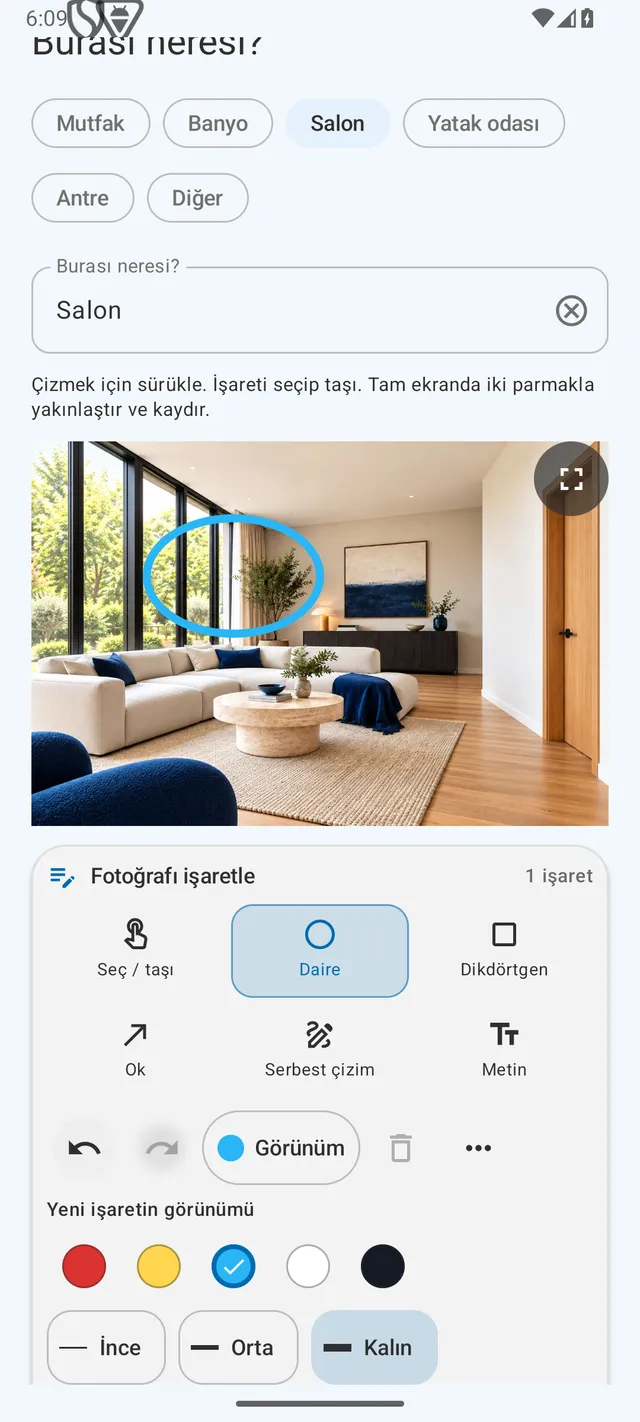
DepKeeper's rental-home flow lets you group room photos and notes, add your own visual marks and prepare a photo report. Use that report alongside the landlord's inventory and correction process. DepKeeper does not amend the agent's portal, notify the landlord automatically or confirm that a correction was accepted.
The Android store launch is still being prepared. The real preview below retains its app version label and example data. You can use the free checklist now and request a launch notification. This guide applies to the England context; do not transfer its source guidance to other countries without checking their own processes.
PUT IT INTO PRACTICE WITH DEPKEEPER
Make it clear which detail you mean.
Keep room photos and your observations together as supporting material for a correction request. The app does not alter the agent’s inventory.
- Add the room and a short observation.
- Choose a circle, rectangle, arrow, freehand line or text.
- Check the annotation and description before creating your report.
The Android app is being prepared for store release.
Make your next inventory check easier.
Use the free checklist and request an Android launch notification.
Sources
Source checked 12 October 2026; Shelter page last updated 19 December 2024. England only. The correction list, labels and filing method are original editorial suggestions, not a prescribed legal procedure or an outcome guarantee. Example and cover scene are fictional.