
A replacement appliance needs a dated addition, not a rewritten history.
The microwave in your checkout photos may not be the one listed when you moved in. A small replacement record explains that difference without making the original inventory disappear. This guide is for renters and property managers in England; its recording method is an editorial suggestion, not a ruling on repair costs.
How can you do this in DepKeeper? See the app example ↓
Start with what changed, rather than who is at fault
An item can be replaced after a reported fault, an agreed upgrade or accidental damage. Those are different situations, and a replacement delivery alone does not establish who must pay. Keep any discussion about responsibility alongside the factual timeline rather than turning an inventory note into an admission or a demand.
Find the original entry and photographs. Identify the room, item description and any model reference already recorded. If the original inventory simply says “microwave”, write that down accurately; do not add a model number to the old entry as though it was recorded at move-in. You can add newly verified information in a separately dated note.
Shelter England advises renters to keep records of repairs and replacements and retain correspondence with the landlord. It also advises against removing supplied furniture or appliances without written consent. The practical steps below organise that paperwork; they do not decide whether a particular appliance is the landlord’s repair responsibility.
1. Keep permission, delivery and collection as separate events
Before arranging removal or accepting a substitute, establish what has actually been agreed. “A replacement has been ordered” is not the same as permission to dispose of the old item. Ask who will collect it, where it can safely wait and whether any accessory must stay. Avoid moving heavy equipment or disconnecting a fitted appliance yourself.
Record the delivery date separately from the date you first noticed the fault. If the replacement arrives while the old unit is still present, note both locations. Do not mark the old item as collected until collection has happened or the responsible person has confirmed it, and distinguish their confirmation from something you witnessed.
In a shared flat, identify who received the delivery and which room it belongs to. You do not need personal identification documents or a photograph of the delivery worker. A short note of the event, the item and the message confirming the arrangement is normally more useful for this purpose.
2. Describe the replacement and its accessories
Take one photograph showing the replacement in its location and another of an accessible model label if needed. Do not pull out installed equipment just to find a serial number. A label image should be shared only where relevant; remove unrelated account details from the recipient copy while keeping the original securely.
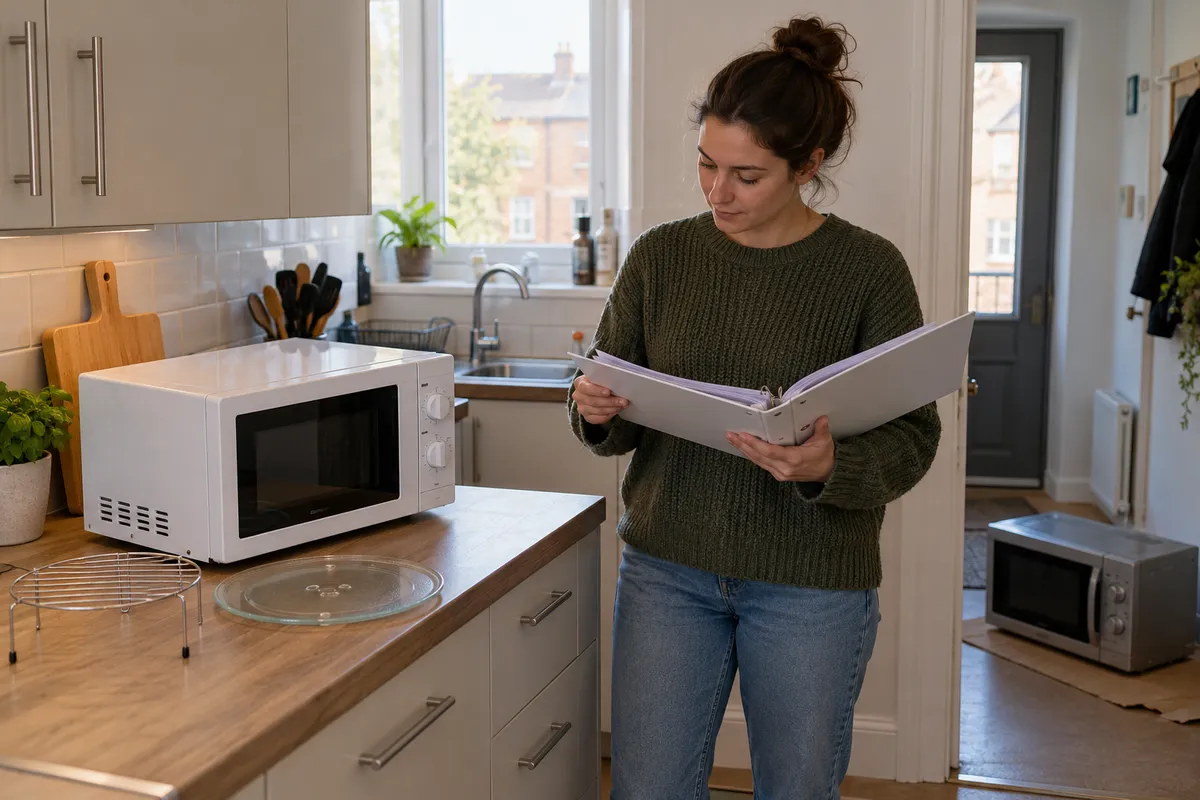
List what was supplied with the item. For a microwave, this might include a glass turntable, a support ring and a manual, depending on that model. Do not copy the old accessory list without checking. Describe a loose rack as supplied equipment only if that is confirmed; this guide does not say it is safe to use in a particular operating mode.
Record any visible mark at delivery before using the item, with a general view and a close view. Keep the language narrow: “small dent on the rear-left outer corner, visible in photo R03” explains more than “damaged appliance”. A photograph does not confirm electrical safety, installation quality or that every function works.
3. Write what was checked and what remains untested
Ask for the correct operating instructions and any installation or service paperwork relevant to the replacement. Follow those instructions rather than inventing a quick test. In particular, do not run a microwave empty or operate equipment with a suspected safety problem merely to complete an inventory.
If the responsible person demonstrates a normal function safely, describe the limited observation and who demonstrated it. “Control panel illuminated; heating function not checked during handover” is a useful distinction. Do not translate the presence of a plug, a receipt or a warranty into a claim that the appliance has passed a professional inspection.
There can be a delay between delivery and installation. Note that interval explicitly. A boxed dishwasher in the hall is delivered, but it is not installed and ready for use. If the original service is still unavailable, preserve the outstanding issue rather than closing it simply because a box has arrived.
A concise replacement update
4. Preserve the original and ask for acknowledgement
Send the update through the established tenancy contact channel. Link the new entry to the original item reference, attach only the relevant photos and ask whether the replacement and accessory list are correctly described. Keep the response with the update. Silence is not the same as acceptance, and a sent message does not prove that the recipient has read it.
Keep the original move-in inventory, replacement note and eventual checkout record as distinct documents. A simple folder structure can work: move-in, changes-during-tenancy, checkout. Use clear dates and filenames rather than relying on a messaging app to retain the only copy. Avoid changing the original photograph’s content to make the timeline look cleaner.
At checkout, compare against the replacement entry as well as the original inventory. If the item differs from both, explain the later change and locate its supporting message. Missing paperwork should be identified as a gap, not filled with an invented approval or a backdated note.
Replacement record checklist
- Original item and room identified.
- Reason for replacement separated from payment responsibility.
- Permission or instruction retained without assuming a wider agreement.
- Delivery, installation and collection dates distinguished.
- Replacement description and supplied accessories checked.
- Visible condition and untested functions stated.
- Original inventory preserved and update sent for acknowledgement.
- Checkout comparison points to the right item and dated addition.
Where DepKeeper can help
The DepKeeper rental-home flow being prepared for release brings room photos, manual annotations and notes into a PDF report. These can make the replacement item easier to identify. It does not obtain permission, certify electrical equipment or automatically amend a tenancy agreement. Keep the landlord’s written communication separately.
The public Android download is not yet enabled. Use the free checklist for the practical inspection now, and join the launch notification list if you want to use the app later. If there is an active dispute about costs or repairs, seek advice appropriate to your tenancy rather than relying on the record format to settle it.
PUT IT INTO PRACTICE WITH DEPKEEPER
Keep the replacement linked to its room.
A room photo and note can identify the replacement in your report. Keep permission and collection correspondence separately.
- Identify the original item reference.
- Add the replacement date and visible details in a note.
- Check the report before sharing.
The Android app is being prepared for store release.
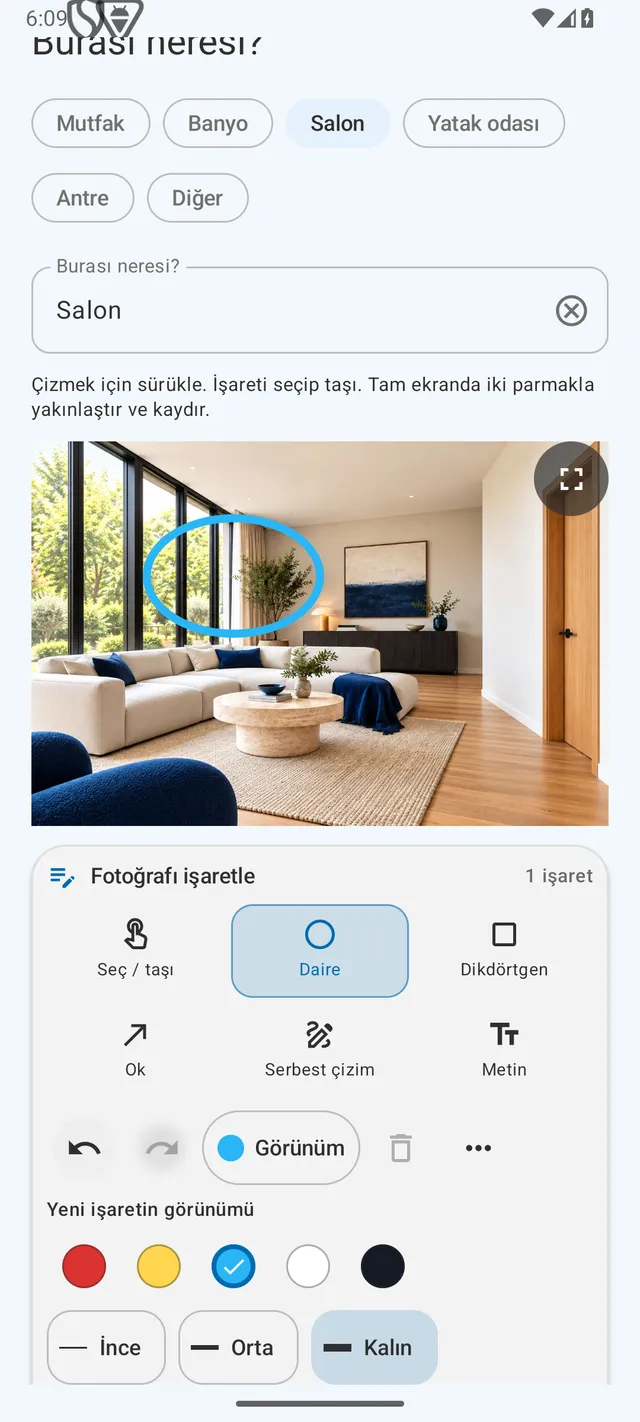
Keep each change connected to the original item.
Use the free rental checklist and request an Android launch notification.
Sources
Sources checked on 26 October 2026. Scope: England. The dated-addition workflow and fictional example are editorial suggestions, not an assessment of liability or an appliance safety test. The cover is an AI-generated illustrative scene.