
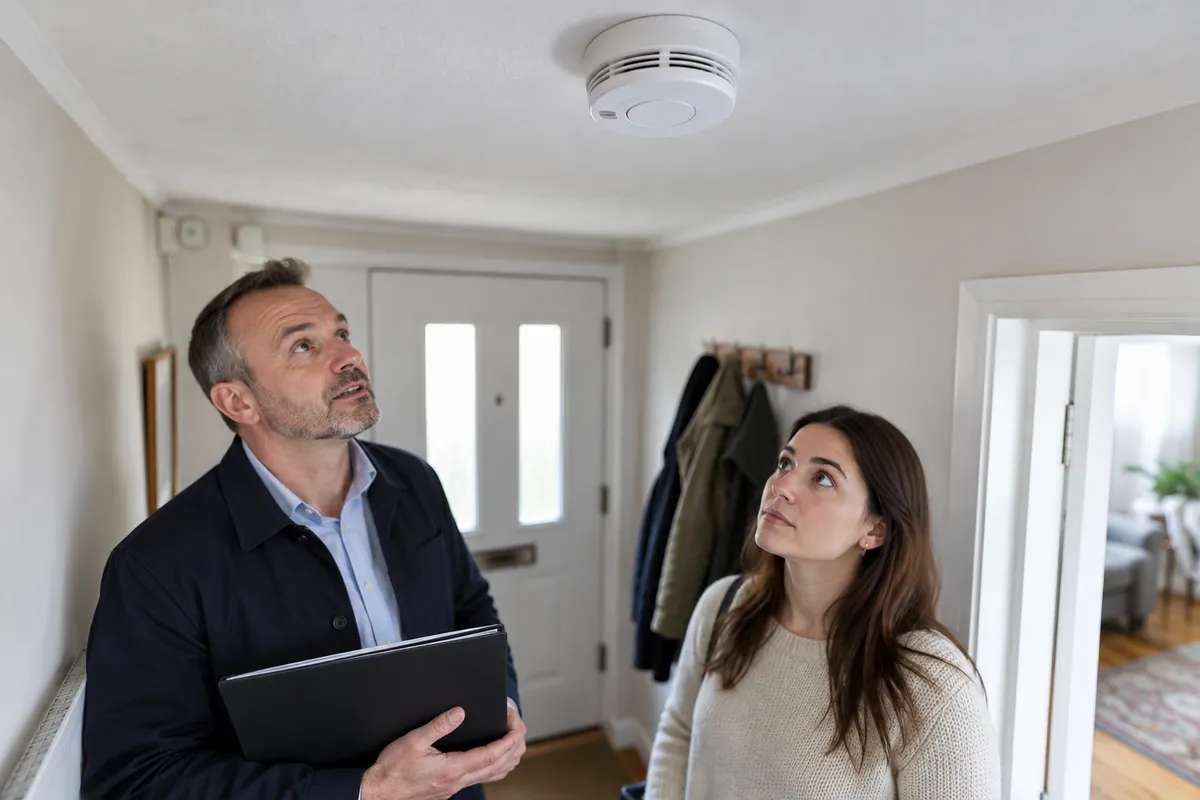
Record the alarm handover, not just a photo of the ceiling.
A ceiling photograph can show an alarm in a room. It cannot show that the alarm worked when the tenancy began, that it is the right type, or that the whole installation meets the rules. At a rental handover, keep the visible item, any test you actually witnessed and the instructions you received as separate facts. This guide concerns ordinary rented homes in England. Different rules and exceptions apply to other UK nations, some accommodation types and licensed HMOs; it is a documentation guide, not a fire-safety inspection.
How can you do this in DepKeeper? See the app example ↓
1. Ask about alarms before the appointment ends
Ask the landlord or agent to show you which devices are smoke alarms and which are carbon monoxide alarms, where they are, and where the operating instructions are kept. Similar-looking devices can have different purposes. If nobody can identify an item, write ‘device not identified’ rather than choosing a type from its appearance.
The government's England guidance says relevant landlords must ensure alarms are working on the day a new tenancy starts. It describes smoke-alarm provision on storeys with living accommodation and carbon monoxide alarms in rooms with fixed combustion appliances, excluding gas cookers. It also explains exclusions and separate HMO licensing arrangements. Check that guidance for the actual accommodation; a tenant's photo checklist does not determine compliance.
Ask for the record of the start-of-tenancy check. If a test happened before you arrived, describe it as information provided by the agent, not as a test you watched. Keep the document or message with the inventory rather than trying to recreate an earlier event.
Sources: GOV.UK — smoke and carbon monoxide alarm guidance for England
2. Give each device a useful location
Use a label such as ‘ground-floor hallway, ceiling by the stairs’. ‘Alarm 1’ becomes useful only when another person can find it. In a larger home, add the floor and the room before adding a short identifier. Keep that label in the photo note, the handover list and any follow-up message.
Take a room-context photograph from a safe position. If a label can be read without removing the unit or climbing on furniture, a second photograph may help identify it. Do not dismantle an alarm, cover a sensor or remove a battery to get a better image. Ask the person responsible for the handover for identification details that are not safely visible.
A photo is useful for location and visible condition. Avoid captions such as ‘fully compliant system’ or ‘all alarms safe’. An image of an unlit indicator also does not tell you everything about the device; record what you see without interpreting its internal condition.
3. Separate witnessed testing from unverified information
If an authorised person demonstrates a test using the manufacturer's instructions, note who performed it, which device was involved, when it happened and what you actually observed. For example, ‘agent operated the test control; audible signal heard’ is more precise than ‘alarm passed’. Follow the device instructions for future checks; this article does not replace them.
Never use a flame, exhaust fumes or improvised smoke to test a device. Do not disable it to stop a sound. If an alarm is sounding for a possible real emergency, leave the documentation task and follow the applicable emergency guidance. The calm handover sequence here is not an emergency response procedure.
Where no demonstration or record is available, leave the item open. ‘Not demonstrated during this visit; requested confirmation’ is a useful status. It prevents an empty checkbox being mistaken for a successful check. If the agent says a contractor will attend, record the proposed next step and ask who will confirm completion.
4. Keep a small, readable handover note
You can use one entry per device with four headings: location, information provided, observation and outstanding action. This avoids mixing an agent's statement with your own observation. A photograph reference can sit alongside the entry so the reader does not have to search through every room image.
Imagine a hallway alarm was demonstrated but a separate device near the boiler was not identified. The useful report contains two different entries. Copying ‘tested’ across both because they were discussed at the same appointment would create a misleading record. The following message is a fictional example, not a legal template.
5. Close the communication loop without rewriting history
Save the response with the original question. If instructions arrive the next day, add their actual receipt date. Do not change yesterday's entry to suggest that you already had them. A later demonstration should have its own date and observation, linked to the earlier open point.
If a record describes a different room or device, ask for the discrepancy to be clarified. A message marked sent is not proof that somebody reviewed or agreed with it. Where a safety question remains unresolved, seek appropriate help promptly rather than waiting for your entire inventory to be polished.
Keep maintenance or replacement information separate from the initial handover. This is especially useful if a unit is changed during the tenancy: a move-out photograph of the new device should not be treated as a picture of the one present at move-in.
A compact alarm handover checklist
Use this list to organise questions, not to certify the property. It does not replace the government's scope rules, a competent inspection or the manufacturer's instructions.
- Identify the accommodation's jurisdiction and any special regime.
- Locate each device and use a stable room/floor description.
- Ask for its type and operating instructions.
- Distinguish an earlier check record from a demonstration you witnessed.
- Describe the observed action and response without claiming certification.
- Mark missing information or an undemonstrated item as outstanding.
- Keep the original question, response and later follow-up dates together.
- Stop documentation if there is a possible emergency.
Where DepKeeper fits
DepKeeper's rental-home workflow in development organises room photos, notes and a PDF report. It can help you keep a device's location beside your own written observation. Manual annotations can point to an item in a wider room photograph. It does not test alarms, certify safety or decide whether a landlord has met a legal duty.
The public app download is not yet enabled on this website. For a handover today, use the free move-in checklist and your existing communication channel. You can join the Android launch waitlist if you want to use DepKeeper when the release is available. The sample screen below is a labelled development preview, not a fire-safety assessment.
PUT IT INTO PRACTICE WITH DEPKEEPER
Keep the location beside your observation.
A room note and an annotated photo can identify the device discussed in your handover report.
- Name the room and device location.
- Write what you observed and what remains unconfirmed.
- Review the photo and wording in the report.
The Android app is being prepared for store release.
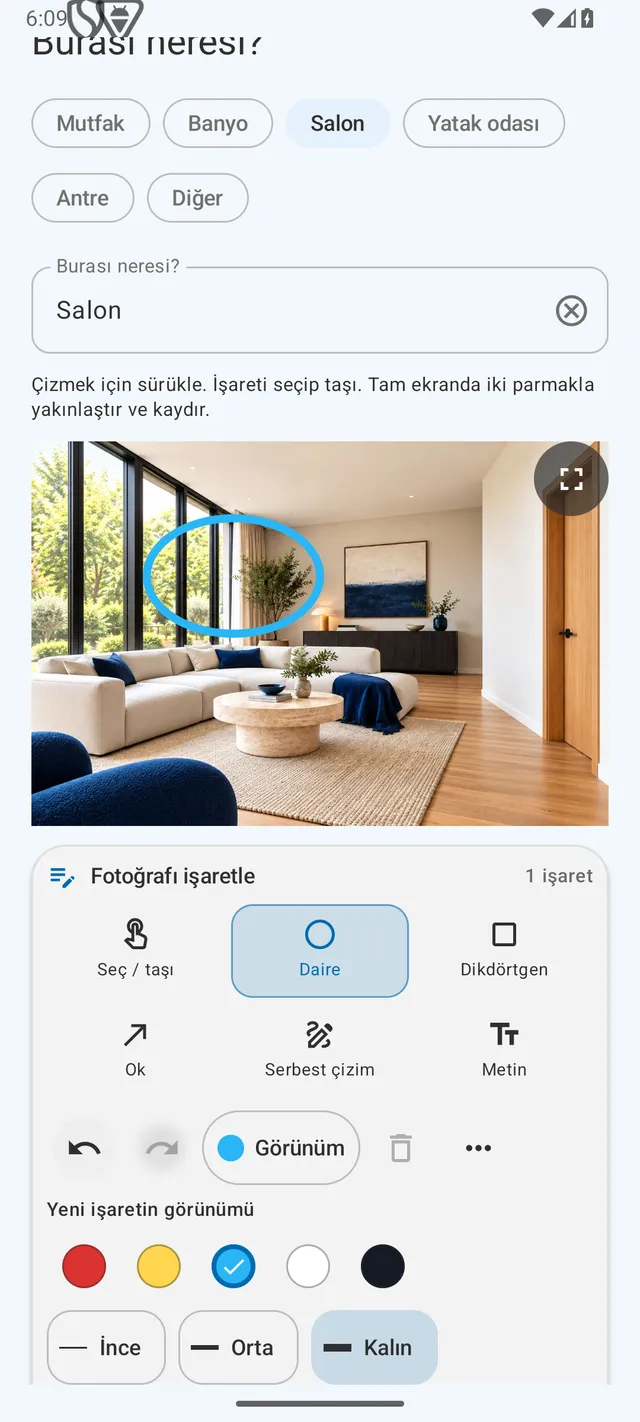
Keep observations and outstanding questions together.
Use the free move-in list and request an Android launch notification.
Sources
Source checked 19 October 2026; government guidance updated 29 July 2022 and explicitly applies to England. The note structure and example are editorial suggestions, not an inspection protocol or legal opinion. The example and generated cover scene are fictional.